
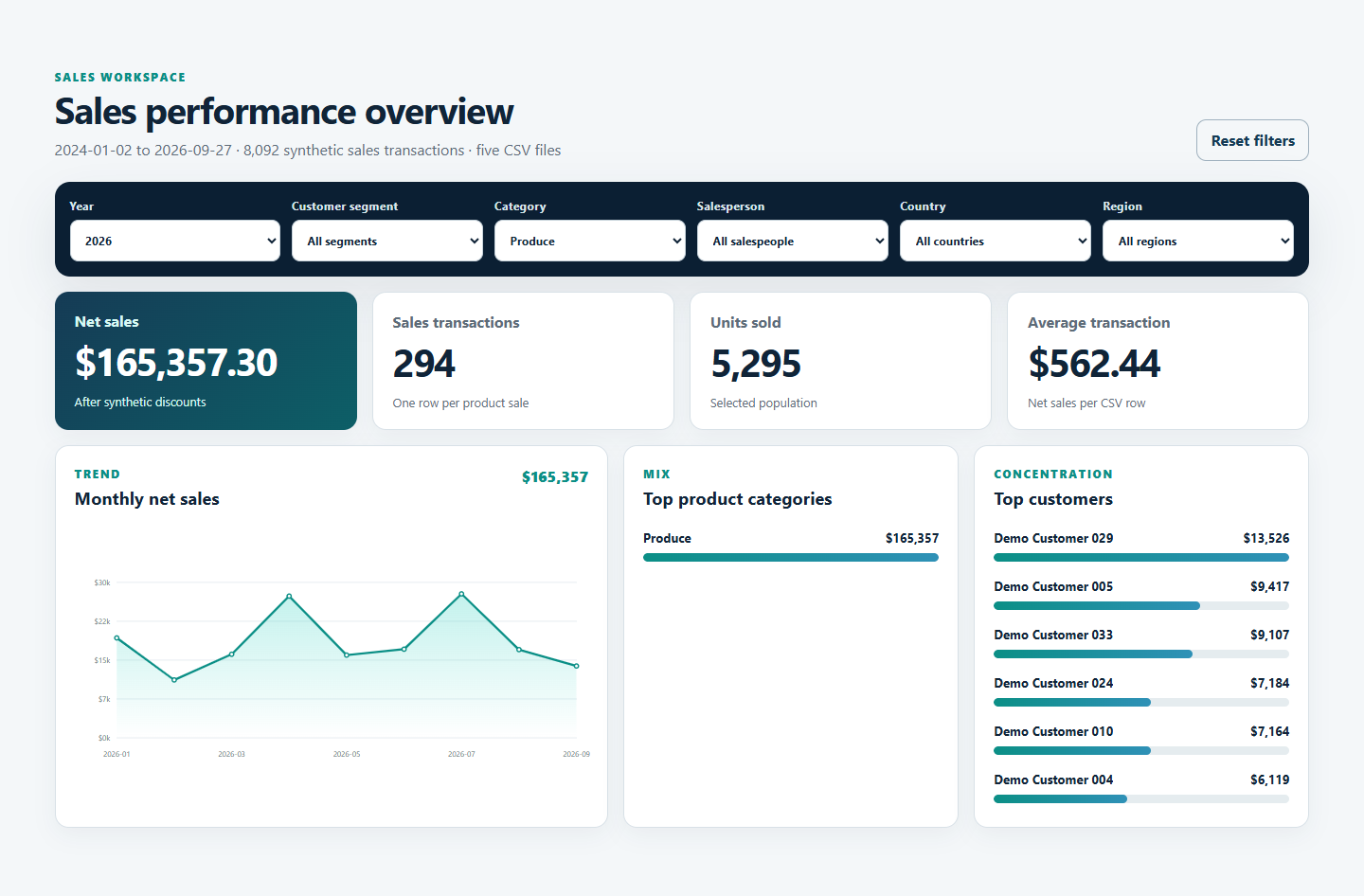
In the earlier stages of this series, five CSV files became a working interactive sales dashboard. The result can be filtered, explored, and used to move from a summary view into the underlying detail.
That is an important milestone. But it raises a different question:
What happens when the dashboard needs to remain useful after the prototype is finished?
A prototype proves that an idea can work with known data. A production dashboard must continue to provide useful answers as the data, business, and audience change.
That does not mean every prototype needs an enterprise architecture, real-time integration, or a large technical project. It means making deliberate choices about how the dashboard will be refreshed, checked, maintained, and owned.
Start with the business rhythm
The first production question is not “How do we automate everything?” It is “How current does this information need to be?”
A dashboard used during a monthly management meeting has a different operating rhythm from one used to manage daily sales activity. The monthly dashboard may be entirely effective with a controlled file replacement performed before each reporting cycle. A daily operational dashboard may justify an automated connection, stronger monitoring, and a clearer response when a refresh fails.
Faster is not automatically better. More automation is not automatically more mature. The appropriate approach depends on the decision being supported, the consequences of stale information, and how heavily people rely on the result.
Four ways to keep a dashboard current
There is no single path from prototype to production. Most dashboard refresh processes fall into one of four broad approaches.
| Approach | How it works | Best fit | Primary tradeoff |
|---|---|---|---|
| Manual file replacement | Someone periodically exports and replaces the source files | Infrequent reporting, early adoption, or tightly controlled updates | Simple and transparent, but dependent on a person and a repeatable routine |
| Scheduled file delivery | A source system automatically exports updated files to an agreed location | Regular reporting where file-based exchange remains practical | Reduces manual handling, but delivery and file structure still need attention |
| Direct data connection | The dashboard reads from a database, API, cloud application, or another source on a schedule | More frequent refreshes or broader operational use | Fresher data with greater dependency on source availability and access controls |
| Managed data pipeline | Data is collected, validated, transformed, and delivered through a governed process | Higher business dependence, multiple sources, or demanding quality requirements | Stronger control and scalability with greater operational investment |
For many organizations, the first two options deserve more consideration than they receive.
A manual refresh can be a sensible production choice when the dashboard is updated monthly, the process has a clear owner, and the incoming files can be checked before publication. It may be easier to understand and control than a more elaborate automated solution.
Scheduled file delivery preserves much of that simplicity while removing a repetitive handoff. It can be an effective middle ground when source systems already produce regular exports and the dashboard does not need a continuous connection.
Direct connections and managed pipelines become more valuable as refresh frequency, data volume, source complexity, and business dependence increase. They are options to adopt when the need justifies them—not boxes every prototype must check.
Fresh data is not enough
A dashboard can refresh successfully and still become misleading.
A column name may change. A category may be redefined. A source file may arrive without all expected records. A calculation that was correct for the prototype may no longer reflect the way the business now measures performance.
For that reason, keeping a dashboard current involves more than replacing yesterday’s data with today’s. Someone needs to confirm that the incoming data is complete, the business definitions remain valid, and the filters and calculations still mean what users expect them to mean.
The level of validation should again match the level of dependence. A monthly review may need a short checklist and a comparison with the source report. A dashboard used throughout the day may require automated checks and a visible indication of when the data was last refreshed.
The principle is the same in both cases: users should be able to understand how current the dashboard is and have reasonable confidence in what it shows.
Ownership comes before automation
It is tempting to frame production as a technology decision. In practice, ownership is often the more important question.
Who supplies the data? Who confirms that it is accurate? Who maintains the dashboard when the structure of the source changes? Who responds when a refresh does not occur? Who decides when the dashboard itself needs to evolve?
Automation does not remove these responsibilities. It can make the process faster and more consistent, but it still needs an owner.
A simple manual process with clear accountability may be more dependable than a sophisticated automated process that nobody is actively watching. Before investing in additional technology, it is worth making the responsibilities visible.
Grow the solution in proportion to its value
The interactive sales dashboard began as a working prototype built from synthetic CSV files. If it were adapted for ongoing business use, the next step would not necessarily be to rebuild everything.
A reasonable progression might be:
- Use a controlled manual refresh while the dashboard is being evaluated.
- Document the file structure, refresh routine, validation checks, and owner.
- Automate recurring file delivery if usage becomes regular.
- Introduce a direct connection or managed pipeline if freshness, scale, or business dependence makes the investment worthwhile.
This approach allows the operating model to grow with the value of the dashboard. It also avoids solving production problems that the organization may not actually have.
Production is a level of dependability
The line between prototype and production is not defined by one technology choice.
A dashboard becomes production-ready when its refresh process, controls, and ownership are appropriate for how much the organization depends on it. For one dashboard, that may mean a carefully managed monthly file replacement. For another, it may mean scheduled connections, automated validation, monitoring, and formal support.
The important step is to make those choices deliberately.
The prototype answers, “Can this work?”
Moving beyond the prototype answers a different question:
What must be true for people to depend on it?